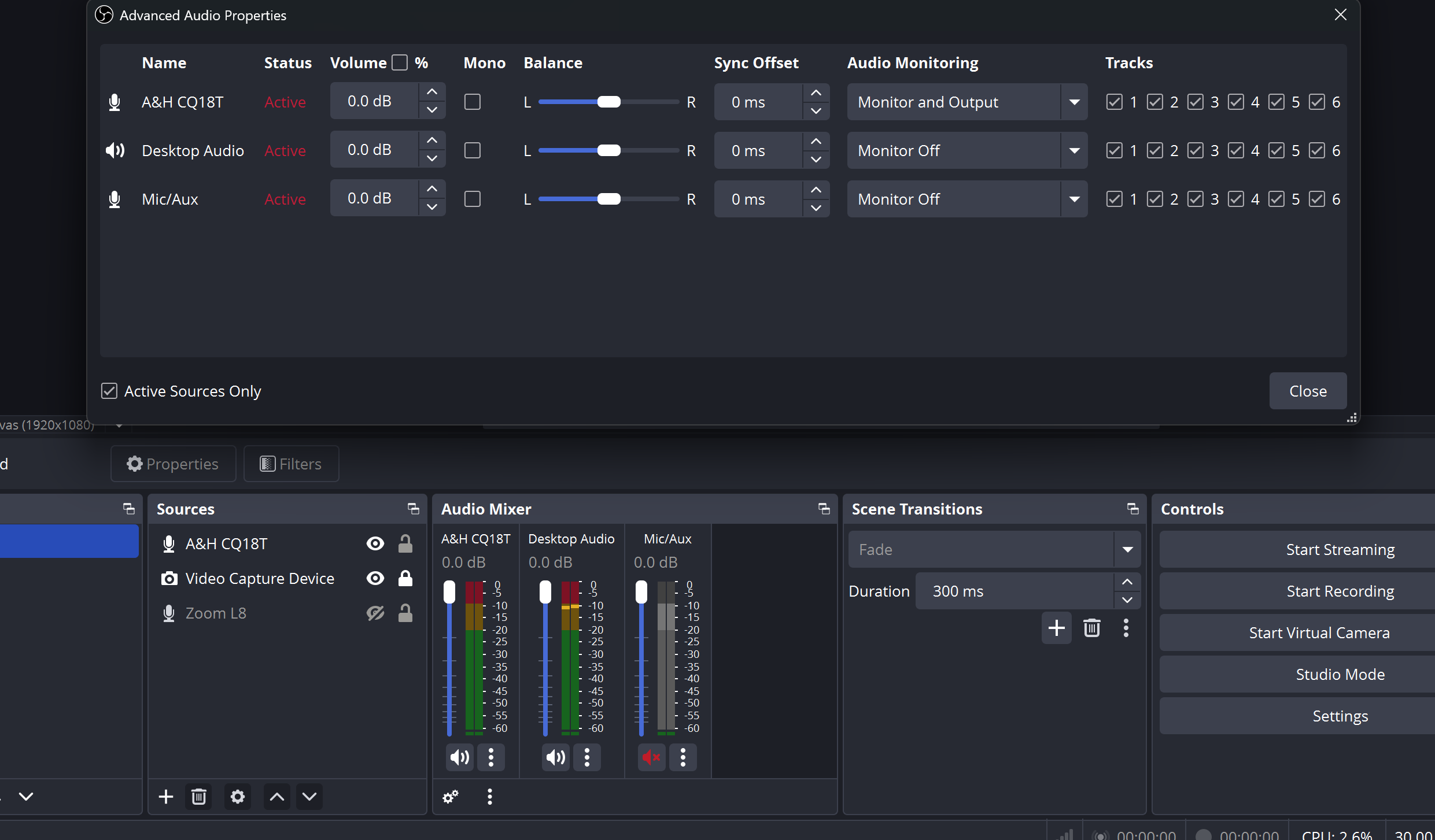
Hi there.
Im looking for help in getting the cq18t to work with OBS studio.
Ive been using obs to livestream with other sound cards, so know how to geneerally set up things on obs’s side for livestreams.
But i just cant seem to figure out how to get the audio from the cq18t to be heard in obs studio.
I was hoping someone here can help.
-I’ve installed the windows driver for the cq18t.
-The cq18t usb is currently configured to 48khz, and Stream Mode: Stereo
-I can playback audio from the computer over the usb cable to the cq18T usb input. And it shows up as an audio option in windows settings.
Also, on the advanced audio properties panel in OBS, i see an option only for channels 1-6. Does that mean i wont be able to stream the BT or USB input over obs (if i dont use the stereo mode)
You should be in multi-track mode, not stereo. You can use any of the 4 stereo USB outputs from the mixer to the PC.
The CQ18T does not expose all inputs through windows WDM, as the Soundcraft UI24R does. So you’ll be limited to the exposed inputs when working outside of ASIO applications. All inputs can be accessed through the ASIO driver in supported applications, I provide a plugin for OBS below.
When working natively with WDM in windows:
For outputs from windows:
1/2, 5/6, and 7/8 windows outputs correspond to ST1, USB, and BT inputs on the mixer. All 3 pairs can be changed to USB source from PC instead.
To change the ST, USB and BT input sources to USB-B, you’ll need to go to the processing tab on the stereo inputs tab and tap the preamp section.
For inputs to windows,
1/2, 3/4, 5/6, and 7/8 windows inputs correspond to the main output and the 3 stereo aux sends from the mixer, their sources are selected in the config->USB tab.
In this tab, confusingly, this is how it matches up:
17/18 = pc input 1/2
19/20 = pc input 3/4
21/22 = pc input 5/6
23/24 = pc input 7/8
This plugin will add ASIO support to OBS, so you can access all of the inputs directly.
Any further routing you’re unable to accomplish outside of an ASIO environment can be solved with this donationware tool:
With this tool you’re able to create a virtual matrix, select it in your application as output, and then route it to any input on the mixer. From there you can mix as needed and send back out any or all of the 4 stereo outputs.
A&H really needs to release an update soon to fix this and other bugs. It’s also not the easiest workflow to figure out, and it appears as though many people online never do. There are a lot of posts from people saying this mixer can’t do things it definitely can. I’ve seen many people not buy it or return it because of this confusion and initial learning curve.
hi there and thanks so much for helping me with this a few months back. really appreciate your in depth answer.
im trying to set this up again and running into a wall.
following your detailed instructions and also others online, i just cant get zoom to hear my audio output from the mixer. im pretty sure i have everythign set up step by step.
I do hear audio being played back from the pc on the mixer coming into the usb input channel, but i simply cant get the audio from my mixer routed into zooms audio input for a livestream. (it comes in fine on obs studio).
im trying to send the ‘Harp’ channel, and the ‘Vox’ over a minus mix i made going to outputs 5/6 which are stereo linked and i chose them as the source in channel assignment in the CONFIG screen for 17/18 (just in case zoom picks that up) and 23/24 in case zoom gets that better.
For some very strange wierd reason, i can hear only my vocals just a little bit but very not clear, and i cant hear the harp at all. (however i can hear it all clearly over the mixer itself and in obs studio.
any ideas what in the world is going on here?
(sorry it only let me upload one screen pic in the end)