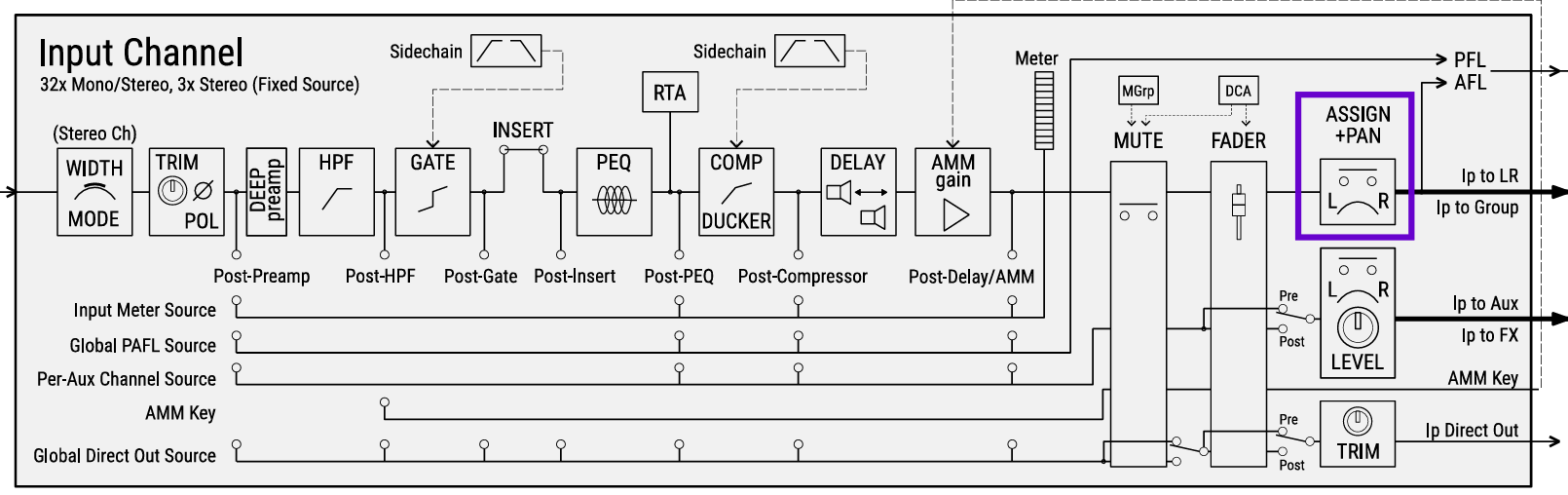
But what I’m missing - eg. when mixing different stereo IEM mixes for different band members - is a view of the pan position of a chanel - if it’s not exactly mid or extreme side we get no useful information (as on old Qu with 2 more LEDs). A panning graphic in the chanel screen would be very useful.
Found it there, thank you.
It would be great to have this in the processing screen, too.
In the left down corner is space:
where for stereo chanels the “stereo image” is shown it’s empty in mono chanels → there a pan indicator would be nice
The logic is that the pan control is not part of the preamp, so it doesn’t “happen” at that point in the processing path. I do personally agree that there’s space on that preamp section where it would fit quite nicely, though.
Yes - I understand this from a technically logical point of view …
For the mixing workflow however (especially under live conditions) it would be nice to see the panning easyly without going through screen menues (as in the old QU series by LEDs for example).
When playing live with my band and “left hand mixing” on different post fader IEM-buses for band members a quick view is helpful and better than diving through menues … I like situative live stereo paning for better separation, for example when different lead singers (middle) in some songs sing polyphonical together I spread them for better separation etc. …
This is a sore point on a otherwise great device. I’m generally impressed by the new Qu and replaced my Qu24CX with the Qu6D. Mixing mostly live jazz, panning is essential. The 3 LED indicator is not much of a help. A bank view or an indicator on the process screen (I know its not the “right” place) would be appreciated. And please, with a numeric scale (e.g. -/+ or % L/R)
Hi A&H Team, The PAN knob on QU-7 (and QU series) is great for quick adjustments, but the 3-LED indicator (L-C-R) is far too basic for precise stereo placement in 2025. Request:
Please add a full graphical PAN arc or numeric value (e.g., -50 to +50, or L100–R100) directly in the Preamp/Processing screen when a channel is selected — just like on SQ and dLive. Why it matters:
Essential for accurate imaging in live sound (FOH, monitors, IEM).
Already available in Qu-Pad app — bring the same clarity to the console screen.
No extra hardware needed — just a firmware UI update.
This is a core mixing function — not a luxury. QU users deserve parity with newer desks. Thank you!
(QU-7 user, firmware V1.1.0, daily live mixer)